v1.0.1 · Available
ImportReady Catalog
Preflight checks for Shopify product CSV imports
Find Shopify import problems before you upload the file
A misplaced delimiter, invalid price or conflicting option combination can turn a bulk product upload into manual troubleshooting. Check supported problems before uploading.
The problem
A product CSV looks plausible in a spreadsheet but still needs structural and field-level checks before upload.
Who it is for
Small Shopify merchants, product migration operators and small web studios handling product CSV files.
The outcome
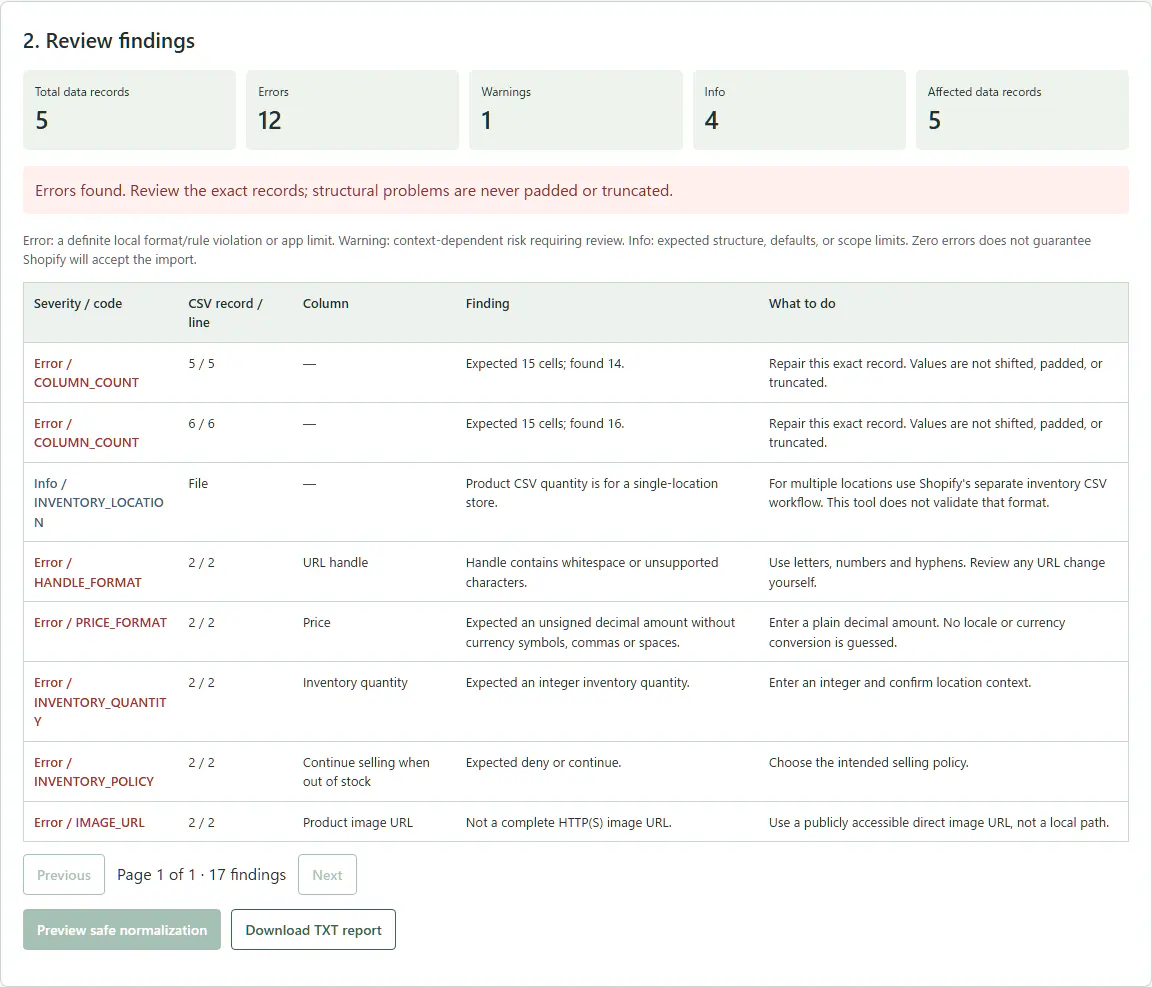
Record-level findings, a previewed safe-formatting copy when eligible, and a TXT report—not a promise of import success.
See the local workflow
How it works
- Unzip and open the HTML file in Windows Chrome or Edge.
- Select a CSV and new/update mode.
- Review record-level findings.
- Preview safe normalization.
- Save a separate CSV when no blocking errors remain, and save a TXT report.
Included
- Supported structural, price, option, URL-format and UTF-8 checks
- Safe formatting normalization with preview
- Separate CSV download and TXT diagnostics report
Your data, on your device
Your CSV stays in the browser’s memory. No account, server, API, cloud upload or analytics in the product. Keep sensitive reports private.
Know the limits
Strict UTF-8. Caps: 15,000,000 bytes, 50,000 data records, 250 columns, 1,000,000 cells, 10,000 findings. No live store validation, image fetching, arbitrary metafield validation, multi-location inventory CSV support, or import guarantee. Plausible same-width column shifts may escape detection.
Questions, answered
Does it change the original?
No; it reads the original and offers a separate download. Do not overwrite it yourself in Save As.
Does it fix every error?
No; it normalizes only safe formatting and explains other issues.
Is it official Shopify software?
No. Independent third-party utility, not affiliated with or endorsed by Shopify.
Do I need a subscription or API key?
No. This is a local downloaded tool.